$getReactions
Retrieve a list of users who reacted with a specific emoji to a message.
Usage: $getReactions[channelId;messageId;emoji;mention/username/id]
Parameters:
channelId: The ID of the channel where the message is located.messageId: The ID of the message to retrieve reactions from.emoji: The emoji to search for. This can be the emoji itself (e.g., 👍) or its ID (if it's a custom emoji).mention/username/id: Specifies what kind of data to return for each user. Choose one of the following:mention: Returns the user's mention string (e.g.,<@123456789012345678>).username: Returns the user's username (e.g.,ExampleUser).id: Returns the user's ID (e.g.,123456789012345678).
Example
Scenario: You want to get a list of users who reacted with the 👍 emoji on a specific message and mention them.
Code:
$getReactions[832894131844128888;940739445487988807;👍;mention]
Visual Examples
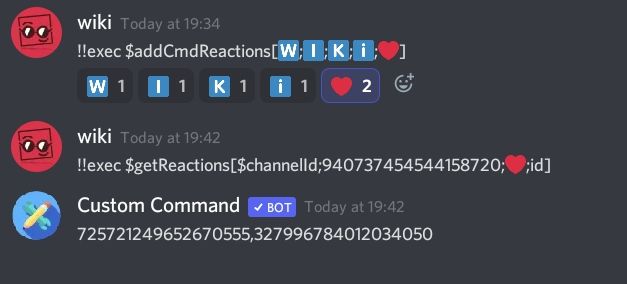
Counting how many users reacted 
Function Difficulty: Medium
Tags: get reactions
⏱️ Function Cooldown
This function has a built-in cooldown to help prevent excessive usage.
| Property | Value |
|---|---|
| ⏱️ Duration | 3 seconds |
| 🆔 Tracked By | Message ID |
| 🌐 Scope | Fetchuser |
Functions with the same Scope share cooldowns based on the same
Tracked Byvalue.
💎 Tier 3+ servers bypass this cooldown. See Premium Perks.